Alpha 1.0 · by Vallerworks

Build entire worlds in real time.

Real-time GPU terrain studio: procedural worlds, 3D voxel caves, first-person sculpting and one-click Unreal Engine 5 & Unity pipelines.

Pure Rust · wgpu (DirectX 12 / Vulkan) · Windows 10/11

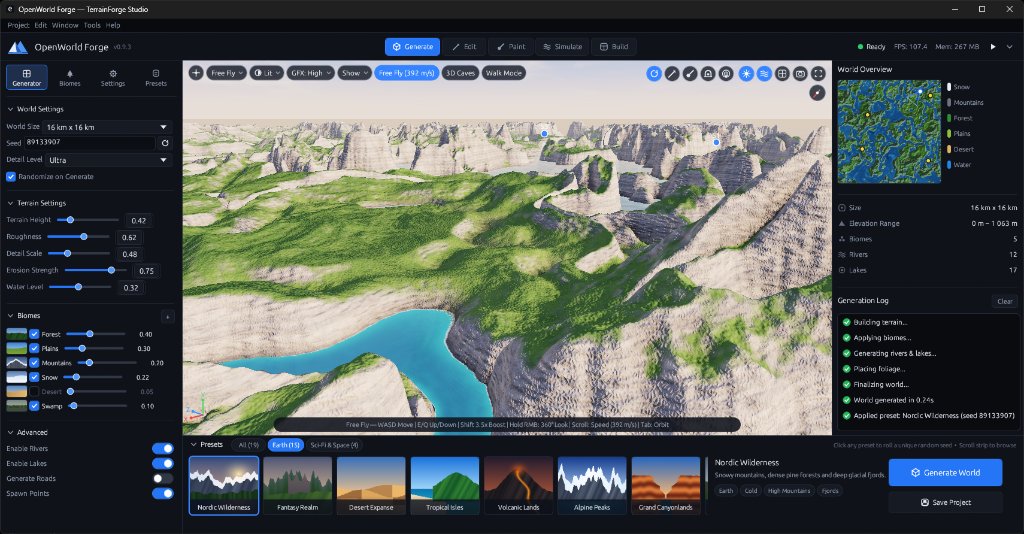
OpenWorld Forge main viewport
Hero screenshotassets/screenshots/hero.jpg · 1920×1080
2048²32-bit GPU heightfield
32 kmmaximum world size
12sculpt & world-builder tools
UE5 · Unity · glTFexport pipelines

Features

Everything you need to forge a world

From a random seed to an engine-ready landscape, all inside one GPU-accelerated studio.

See the full feature list →

Generation

GPU terrain & hydraulic erosion

A ping-pong compute pipeline evaluates a terrain graph on a continuous 2048 × 2048 R32Float heightfield. No stair-stepping, ever.

  • True 1:1 meter scale, from 2 km to 32 km worlds
  • Draft to Ultra detail (5–10 octaves)
  • Seed, roughness, domain warp, ridges, erosion and water level
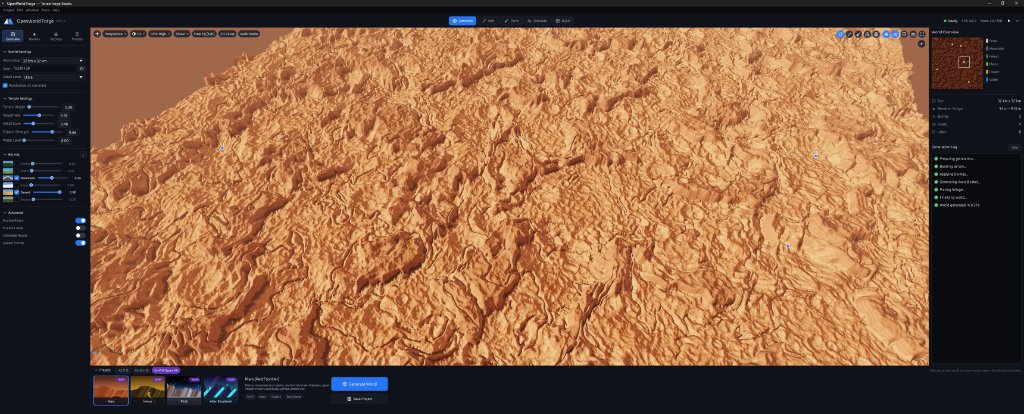
  • 19 presets: 15 Earth biomes plus Mars, Venus, Pluto and an Alien Exoplanet
  • 6 paintable biomes, rivers, lakes, roads and a live minimap
Terrain generation
Terrain generationassets/screenshots/terrain.jpg

Sculpting

Precision brushes, tunnels & bore holes

Twelve GPU tools from fine sculpting to continent-scale macro brushes, plus tools for underground engineering.

  • Raise, Lower, Smooth, Flatten and Mountain Ridge
  • Paint Landmass, Carve Ocean, River and Canyon, Paint Plateau
  • Drag-to-bore mountain tunnels with auto-graded portal aprons
  • Vertical, horizontal or free-angle bore holes
Sculpting tools
Sculpting & tunnelsassets/screenshots/sculpt.png

3D Caves

Voxel caves & overhangs

Flip on 3D Caves to convert terrain into a chunked 128 × 48 × 128 SDF grid with smooth Surface Nets meshing.

  • Organic, non-blocky surfaces with Taubin smoothing
  • Watertight across chunk seams
  • Carve Cave and Add Rock brushes remesh only the affected chunks
3D caves
3D cavesassets/screenshots/caves.png

Walk Mode

Walk your world and dig as you go

Drop in at human scale with full collision against both the heightfield and the voxel caves.

  • WASD move, Shift sprint, Space jump
  • Hold left-click to dig, right-click to build
  • F toggles a headlamp with wet-rock highlights
  • Scroll to resize the brush, Esc to exit
First-person walk mode
Walk modeassets/screenshots/walk.png

Viewport

Photorealistic, on any GPU

PBR GGX shading, triplanar detail, Rayleigh/Mie sky, Fresnel water and ray-marched sun shadows. Switch quality instantly without losing your edits. Export quality never drops.

LOW · 256²

Fast

Smooth normals and simple lighting for laptops.

MEDIUM · 512²

Balanced

Biome shading, fog and basic water reflections.

HIGH · 1024²

Detailed

PBR, cavity AO, foam, valley fog and atmospheric sky.

ULTRA · 2048²

Showcase

Soft ray-marched sun shadows on terrain, caves and water.

Ultra graphics
Ultra graphicsassets/screenshots/graphics.png
Water and sky
Water & skyassets/screenshots/graphics2.png

Gallery

See it in action

Nordic fjords, desert mesas, volcanic calderas and more.

Pipelines

One click to your engine

Heightmaps, weightmaps, baked PBR textures and import scripts, ready for Unreal Engine 5, Unity or any glTF tool.

Unreal Engine 5

16-bit .r16 and PNG heightmaps (505², 1009², 2017²), 8 weightmaps, Albedo/Normal/ORM textures, tunnel OBJ and a Python auto-material importer.

Unity

16-bit .raw heightmaps (513², 1025², 2049²), 2 RGBA splatmaps, Albedo/Normal/Holes and a one-click editor importer.

glTF 2.0 (.glb)

Smooth, chunked meshes with biome vertex colors, including voxel caves and overhangs. Works with Unreal, Unity, Godot and Blender.

Also: 16-bit heightmap PNG, raw .r16, normal map, .obj mesh and JSON project save/load.

Export panel
Build / Export panelassets/screenshots/export.png

System requirements

Runs on more than you'd expect

MinimumRecommended
OSWindows 10 64-bit (1909+)Windows 10 / 11 64-bit
GPUDX12 / Vulkan 1.2 (Intel Iris Xe, GTX 1050, RX 560)RTX 2060 / 3060+ or RX 6600+
VRAM2 GB4 GB+
CPUQuad-core (Core i5 / Ryzen 5)6+ cores
RAM8 GB16 GB
Storage100 MB app + 500 MB for exports2 GB+ SSD

Changelog

What's new

We ship frequent updates. Here's what's changed so far.

Alpha 1.0

Latest
  • New Public Alpha release by Vallerworks
  • New GPU terrain generation with hydraulic and thermal erosion, 2 km to 32 km worlds and 19 presets
  • New 12 sculpt and world-builder tools, including mountain tunnels and bore holes
  • New 3D voxel caves with Surface Nets meshing, plus first-person Walk Mode with live digging
  • New Low / Medium / High / Ultra viewport graphics selector
  • New Export to Unreal Engine 5, Unity and glTF 2.0 (.glb)

FAQ

Questions

Why is OpenWorld Forge currently in Alpha?

OpenWorld Forge is in active Alpha development at Vallerworks. While the core terrain engine, erosion simulation, voxel cave sculpting, and Unreal Engine / Unity exports are ready to use today, we are pushing frequent updates, adding new presets, shader upgrades, and workflow tools every week based on community feedback.

What does "Alpha Release" mean, and how often is it updated?

OpenWorld Forge is currently in Early Alpha, meaning you get immediate hands-on access to our native Rust terrain generator, hydraulic/thermal erosion, first-person cave sculpting, and engine-ready exports while the software is actively evolving.

We roll out frequent updates with performance optimizations, visual upgrades, new planetary and Earth presets, and quality-of-life features. Because we are still in Alpha, you may occasionally spot rough edges, and your feedback directly shapes what we build next.

Does the Low graphics preset reduce export quality?

No. The GFX selector only changes viewport mesh density and shader passes. The internal heightfield stays at full 2048 × 2048 32-bit precision, and exports are always full resolution.

How do I import into Unreal Engine 5?
  1. In Build → Unreal Engine 5, pick a resolution and export.
  2. In UE5, go to Landscape Mode → Manage → Import from File and select the .r16.
  3. Apply the XY/Z scale from README_UNREAL_IMPORT.txt.
  4. Assign the 8 weightmaps to your layers.
  5. Optional: run import_unreal_terrain.py for automatic material setup.
How do I import into Unity?
  1. In Build → Unity, pick a resolution and export.
  2. Copy the Unity_World_<seed> folder into your project's Assets/.
  3. Run Tools → OpenWorld Forge → Import Terrain Package.
How do I export caves and overhangs?

Heightmaps are 2.5D and can't hold overhangs. Use Build → Quick → Export 3D Mesh (.glb) for a clean chunked glTF mesh.

Can I save and reload my worlds?

Yes. Save Project writes your full world config to a readable .json. Reopen it from Project → Load Project or the startup Project Hub.

Start forging worlds today

OpenWorld Forge Alpha 1.0 · by Vallerworks · Windows 10/11